
Fatobuy Spreadsheet: understand the details you buy
Browse the catalog, learn how Fatobuy orders work and discover which familiar garment details still serve a purpose.
Browse the 16 product categories
Use a category to find the item, then check its seller, variant and delivery eligibility. Photos illustrate categories, not inspected or guaranteed stock.
 Sneakers
 Outerwear
 Hoodies
 T-shirts
 Jeans
 Sweatpants
 Womenswear
 Jerseys
 Bags
 Hats
 Belts
 Eyewear
 Perfume
 Jewellery
 Watches
 Electronics
What is a Fatobuy Spreadsheet?
A Fatobuy Spreadsheet is a browsable route to seller products. Family Tree uses garment history to ask practical questions about today’s versions: does the pocket open, does the hood deploy, and does a working feature survive the styling? Follow a category to a listing, then check that particular item rather than relying on its historical name.
What is Fatobuy?
Fatobuy is a shopping agent: it purchases from the selected seller, receives the goods in its warehouse and helps arrange an international parcel. The seller supplies the product; you choose the variant, review the warehouse evidence and approve shipping.
Why use this Spreadsheet?
Use the catalog to narrow your search, then use this site’s specialist checks to understand the listing before spending. Product discovery, seller claims and warehouse inspection answer different questions.
Understand the complete buying process →How to buy through Fatobuy
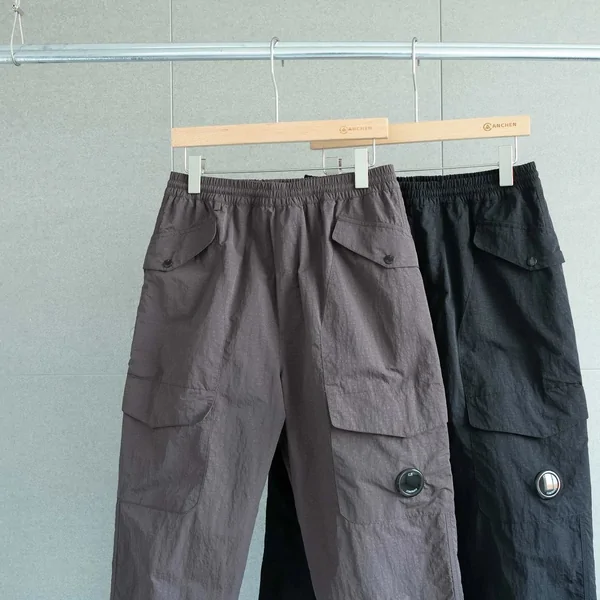
Know what happens between choosing a product and receiving the parcel. The guide follows the purchase, warehouse and delivery stages, with a worked example using cargo trousers.
Read the buying guide →- Before paymentConfirm the seller link, variant, restrictions and full budget.
- At the warehouseCompare the received item and request the missing detail.
- Before international releaseResolve problems, choose packing and review the actual shipping quote.
History helps you ask a better product question
A cargo pocket, storm flap or ribbed cuff has a practical story, but a modern listing does not necessarily preserve its original function. The family tree separates design background from the evidence needed for the particular item you are buying.
Open: Family tree viewer: pick a shelf, trace its ancestors
Family tree viewer: pick a shelf, trace its ancestors
How to use the tool: choose one of the eight shelves. The viewer lays that shelf out on three branches: the working garments it descends from, each tagged with a decade (a label, not a calculated date); the features those garments handed down; and the forms you meet on the catalog today. Every feature carries one of two marks, still does a job or kept for looks. Open a feature for the reason and the public record behind it. Nothing you choose is saved or sent anywhere; the viewer runs in your browser only.
Choose the next detail to check
For an existing order, use Fatobuy’s official account and support. This independent guide cannot view orders or process refunds.